
INTRODUCTION
In this ViralDashboard V5 Review, I will be showing you a software will do the job of a Social Media Agency for you in one dashboard, hence saving you the time and stress involved in running your social media platform. I know the question you might be asking right now – Is this worth buying ? Does it actually work ? That is the essence of this Review , You need to read this to the end .
I will also show you the demo video , the features , the pricing and upgrades so that at the end , you will be able to decide if this is truly your New AI social media Agency in 2026
Quick question- How many browser tabs do you have open when you do social media?
Let me guess:
- A scheduler to queue posts
- A design tool for graphics
- ChatGPT for captions
- A spreadsheet to track what worked
- And 6 different apps to answer comments and DMs
That’s really not a workflow. That’s a juggling act. That is where ViralDashboard comes into play . It is a tool that puts all of that behind one login .
WHAT IS VIRALDASHBOARD?
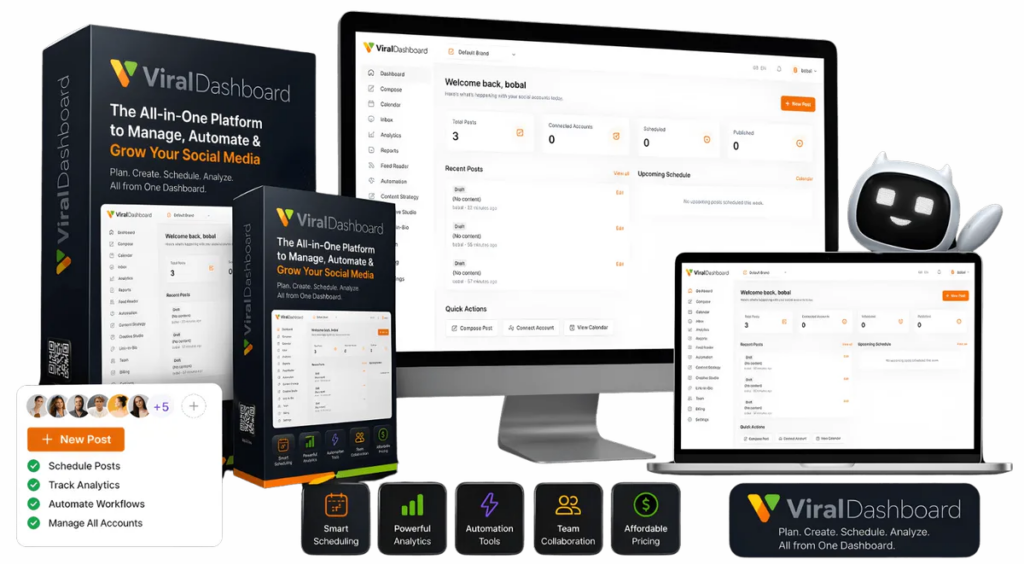
ViralDashboard is the Only AI engine that plans 30 days of content and publishes it to 20 platforms from one login . It writes the captions , designs the graphics and publishes to 20 platforms , Then it answers the comments, tracks your competitors, and builds the reports.
DEMO VIDEO
For a better understanding , here is a demo video showing Viraldashboard in action
CLICK HERE TO GET ALL ACCESS BUNDLE FOR JUST $147
WHAT YOU ARE GETTING INSIDE ( FEATURES)
Publishing & content
- Publish to 20 social platforms — Facebook, Instagram, X/Twitter, LinkedIn, TikTok, YouTube, Pinterest, Threads, Bluesky, Mastodon, Reddit, Telegram, Tumblr, VK, Medium, Vimeo, WordPress, Shopify, WooCommerce and Google Business. Official APIs and OAuth only — no browser extensions, no password sharing.
- Write once, format everywhere — character limits, hashtag counts and image sizes adapt per platform as you type, so the same caption isn’t rewritten five times.
- Visual content calendar — every scheduled post, every brand, every platform, drag-and-drop.
- Best-time scheduling — posting windows computed from the account’s own engagement history, per platform, not from a generic blog post.
- Bulk scheduling via CSV — queue a quarter in one import, with retry and rollback on every bulk operation.
AI
- AI captions & images in the composer — on credits that are a one-time deposit, not a monthly allowance that resets and expires.
- 30-day AI content plans — describe the brand, get a full month planned and balanced across content pillars, landing in the calendar as editable drafts.
- Done-for-you industry library — 15 industries, each a complete 30-day calendar with caption, hashtags, visual brief and posting time for every day. One click to import.
- Ask your data — type a question in plain English, get an answer from your own analytics.
Design
- Built-in Creative Studio — a real design editor with layers, text, autosave and duplication, plus Send to Composer so the export-resize-reupload loop disappears.
- Stock library & brand kits — Unsplash and Pexels search inside the editor, a per-workspace asset library, and brand colours, fonts and logos applied in one click.
Inbox & engagement
- Unified social inbox — every comment and DM from every connected account, threaded so all comments on one post read as a single conversation. Spans brands, or filters to one.
- Reply with attachments and DM a commenter directly via Meta Private Reply — take a pricing question out of everyone else’s feed.
- Auto-moderation rules engine — keyword conditions that auto-reply, hide, delete, assign or tag, with a forced test mode, a full audit log and an instant kill switch.
- Saved replies & saved searches — answer the same question in one click, with usage tracked.
Automation
- Evergreen recycling — proven posts republish on a schedule indefinitely; pause, resume or force a republish any time.
- IF-THEN rules — condition-and-action automation with per-rule logs and a global kill switch. Auditable, not a black box.
- RSS feed reader with AI summaries — skim a morning’s industry reading in minutes, turn any article into a scheduled post in one click. Feed auto-discovery, OPML export, smart folders.
Analytics & intelligence
- Cross-platform analytics — one overview plus per-platform deep dives, post-level drill-downs (reach, saves, shares), audience demographics and CSV export on any view.
- Goals, forecasts & alerts — set targets, see trajectory, get told when a metric moves sharply.
- Competitor tracking and social listening with sentiment — benchmark against the accounts you actually compete with, and hear what’s said when you aren’t tagged.
- Advanced report builder — branded client PDFs from templates, generated from a plain-English prompt, emailing themselves on a schedule.
Growth & conversion
- Link-in-bio pages — link blocks, video embeds, carousels, contact buttons and scheduled blocks, with per-page click analytics and a QR code each.
- Email capture on every page — submissions dashboard and CSV export. Followers are rented; the list is owned.
Teams, brands & agency
- Multi-brand workspaces — isolated brands or clients, each with its own accounts, calendar, brand kit and analytics.
- Team seats & approval workflows — real logins scoped per brand, and client sign-off that happens in the dashboard instead of over email screenshots.
- Agency client portal — client logins, per-client feature toggles, plans and client management, and payment links to bill clients.
- API access + webhooks on the Agency plans.
- Commercial licence included in the All Access Bundle — sell social media management as a service from day one.
HOW TO MAKE MONEY USING THIS TOOL ?
Right now as you are reading this post , Over 5 million people are scrolling , watching , buying and even deciding who to trust for hours every single day . This means that the biggest marketplace in human history is not a mall , a search engine , or a website but a Feed .
A business that posts consistently gets found, gets trusted, and gets chosen. A business that goes quiet for three weeks gets forgotten, no matter how good it is.
That’s why social media isn’t a “nice to have” anymore.It’s the front door. This is the reason why businesses are desperately looking for people to run their social media for them properly .
With your access to ViralDashboard , you can fill that gap and make thousands of dollars handling social media for these Businesses . You can charge somewhere in the range of $2,000 to $5,000 a month to run five jobs for a single business . This includes planning , creating , publishing ,engaging and Reporting
PRICING AND UPGRADES
Here is an interesting and limited time Special launch deal for you , instead of paying $339 when you purchase the front-end + all the upgrades, the vendor is requesting a one -time payment of $147 , which includes the Front-end package plus the PRO level of ALL 5 upgrades .
This deal will end on 25th October 2026 when the launch ends . Your purchase is backed by a 14-day money-back guarantee · Interested? Just click on the link below to get all access Bundle
CLICH HERE TO GET ALL ACCESS BUNDLE FOR JUST $147
About Author